
2026-06-26
How to Make a Readable Roblox GUI
Build a readable Roblox ScreenGui layout, test it for mobile players, and export Luau from Roblox Maker into Studio.
Player goal
Make a shop, quest, results, settings, or HUD screen that a Roblox player understands in the first second.
- Start with a Roblox Maker GUI template that matches the game moment.
- Keep one primary action visually louder than the rest.
- Switch to mobile preview before exporting so buttons are thumb-friendly.
- Run export checks for empty labels, small tap targets, missing behavior, and risky layout.
- Paste the generated Luau into Roblox Studio, then test in Play Solo.
Start from the player moment, not decoration
A Roblox GUI is not just a pretty panel. It is a decision surface. A shop screen asks the player to buy, a quest panel asks them to track progress, and a round results screen asks them to understand what happened. In Roblox Maker, choose the starter closest to that moment before moving colors or adding effects.
As a Roblox player, I judge GUI quality by speed: can I find the close button, the main reward, and the next action without hunting? Put the main button in the most obvious place, keep supporting text short, and avoid making every button the same visual weight.
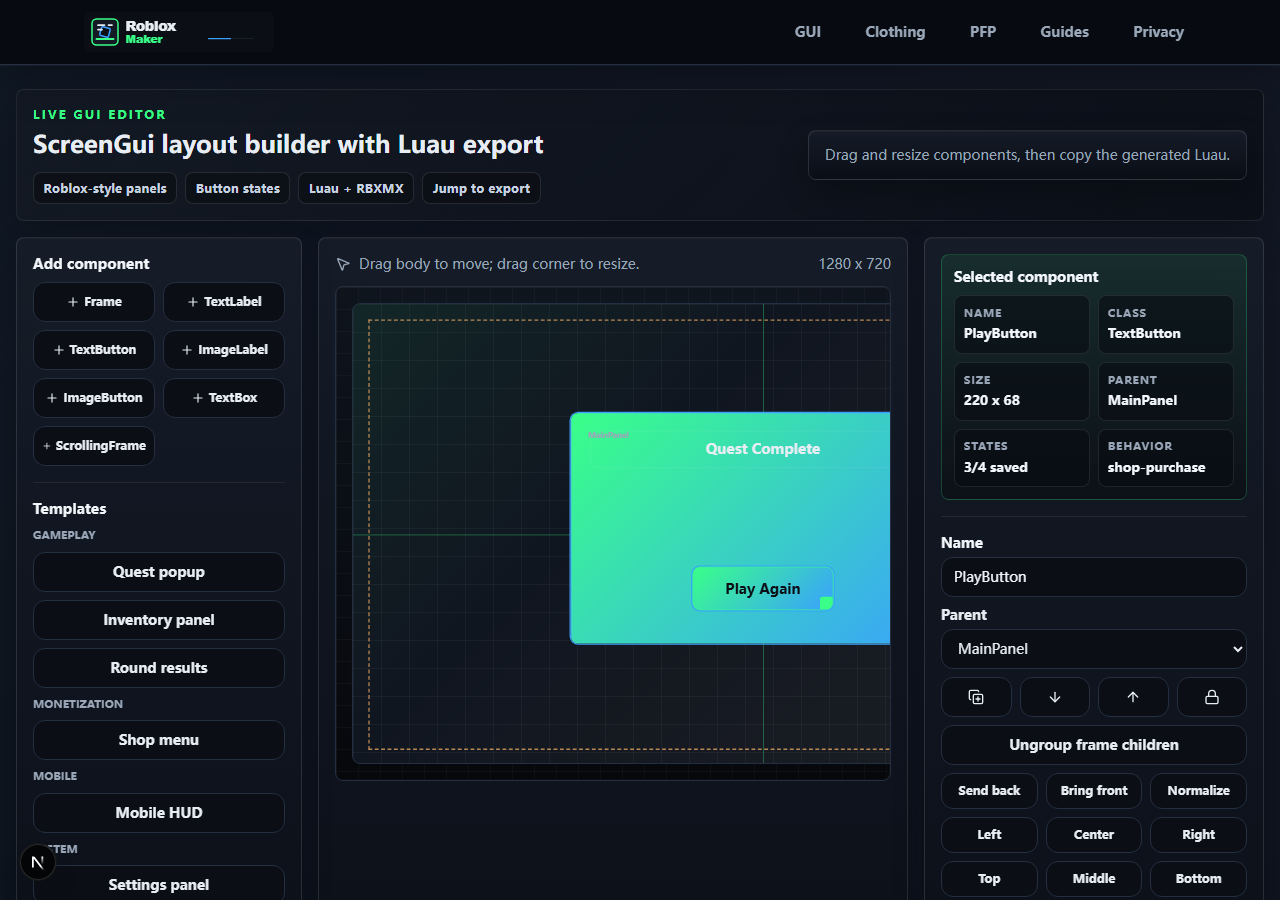
- One clear primary action
- Close or back control visible
- Panel title says what the screen is for
- No placeholder labels left behind
Design for ScreenGui and real input
Roblox Studio displays player UI through ScreenGui objects, with buttons and labels arranged under GuiObject descendants. Roblox Maker exports a readable ScreenGui-style tree in Luau so you can inspect what was created instead of pasting a black box.
For buttons, design the idle, hover, and pressed state together. On desktop, hover feedback helps trust. On mobile, size and spacing matter more because the player is tapping with a thumb. Keep the important controls away from the tight corners unless the layout is specifically a HUD.
- Buttons are large enough for mobile tapping
- Text stays readable over the background
- Hover/pressed feedback does not change layout size
- The exported hierarchy is easy to find in Studio Explorer
Export, paste, and test like a player
When the layout passes the editor checks, export Luau and paste it into Roblox Studio. Put the script where your project expects UI creation, run Play Solo, and test every button in the order a new player would press it.
Do not stop at a screenshot. Resize the game view, test a smaller device profile, and click through close buttons, shop buttons, settings toggles, and navigation. A GUI is launch-ready only when it behaves cleanly after the third or fourth interaction too.
- Luau export pasted without syntax edits
- ScreenGui appears in the expected PlayerGui flow
- Every button has an intended behavior or safe placeholder
- Mobile preview and Studio test both pass
References and next step
Share this guide
Copy the canonical link for Discord or share it directly on social platforms.